Vibe Coding 06 —
Bridging the Gap
Vibe Coding & Google Stitch for System Engineers
How AI-powered design tools are erasing the boundary between system administration and frontend development.
Start ReadingThe Context
As a System Infrastructure Engineer, my basic UX/UI and Figma skills rarely saw action. However, the explosion of Vibe Coding has completely erased the boundary between system administration and frontend development.
Forget spending months mastering design mindsets or wrestling with VS Code. Today, by leveraging Google AI Studio and Google Stitch, precise prompt engineering is all it takes to generate stunning, client-ready UI mockups in minutes.
The Google Stitch Advantage
- No Deep Design Expertise Needed: Perfect for solo engineers; a solid prompt is your best tool.
- Unmatched Speed: Drastically outperforms traditional prototyping timelines.
- Streamlined Workflow: Eliminates complex multi-department coordination.
Current Limitations (As of May 2026)
It is not entirely hands-off yet. A "Human-in-the-Loop" review remains crucial to prevent AI hallucinations, and fine-tuning granular visual effects can still feel inefficient.
But actions speak louder than words. Check out my hands-on demo below, where I leverage Vibe Coding to build a comprehensive Server Monitor dashboard mockup from scratch!
Demo
To get started, access Google Stitch by visiting stitch.withgoogle.com and logging into your account.
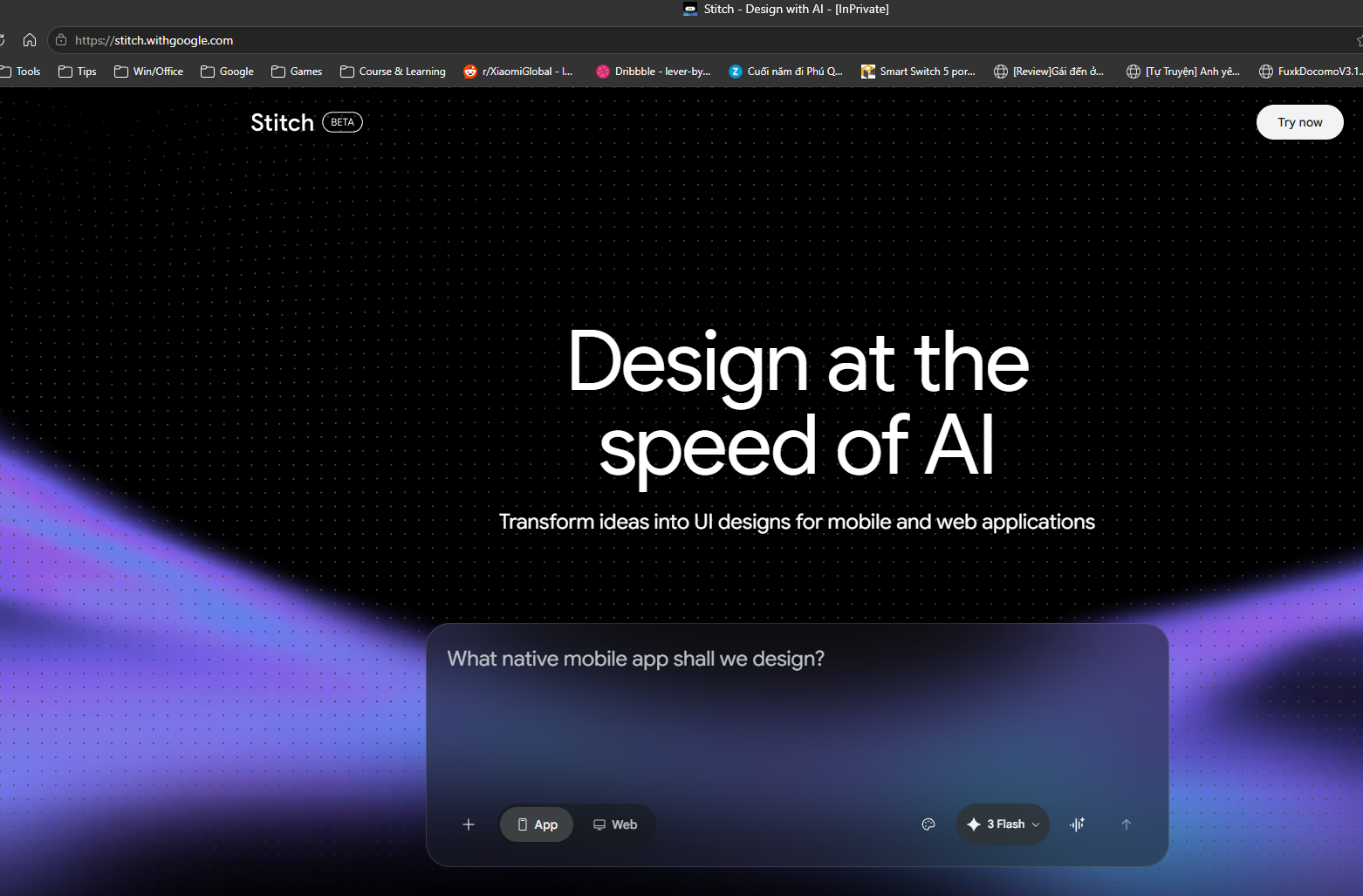
1. Generate Your UI Design
Next, input your product ideas into the prompt panel. Be sure to select the latest Gemini model and choose your desired output device (App or Web). Press Enter to start building the mockup design for your product.
Note: If you have an existing design with an exported
DESIGN.md file, you can upload it to Google Stitch. This ensures your new AI mockup
uses relevant assets from the MD file, such as the color palette, icons, and layout
structure.
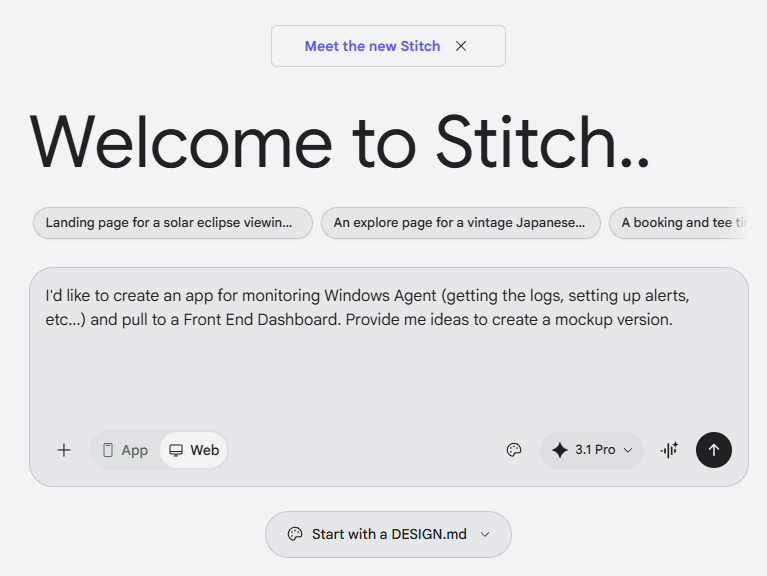
2. Review and Edit Your App Mockup
Once you submit your prompt, Google Stitch will automatically generate your application\'s mockup design. You can easily review the UI designs and request any necessary edits right within the platform to perfect your vision.
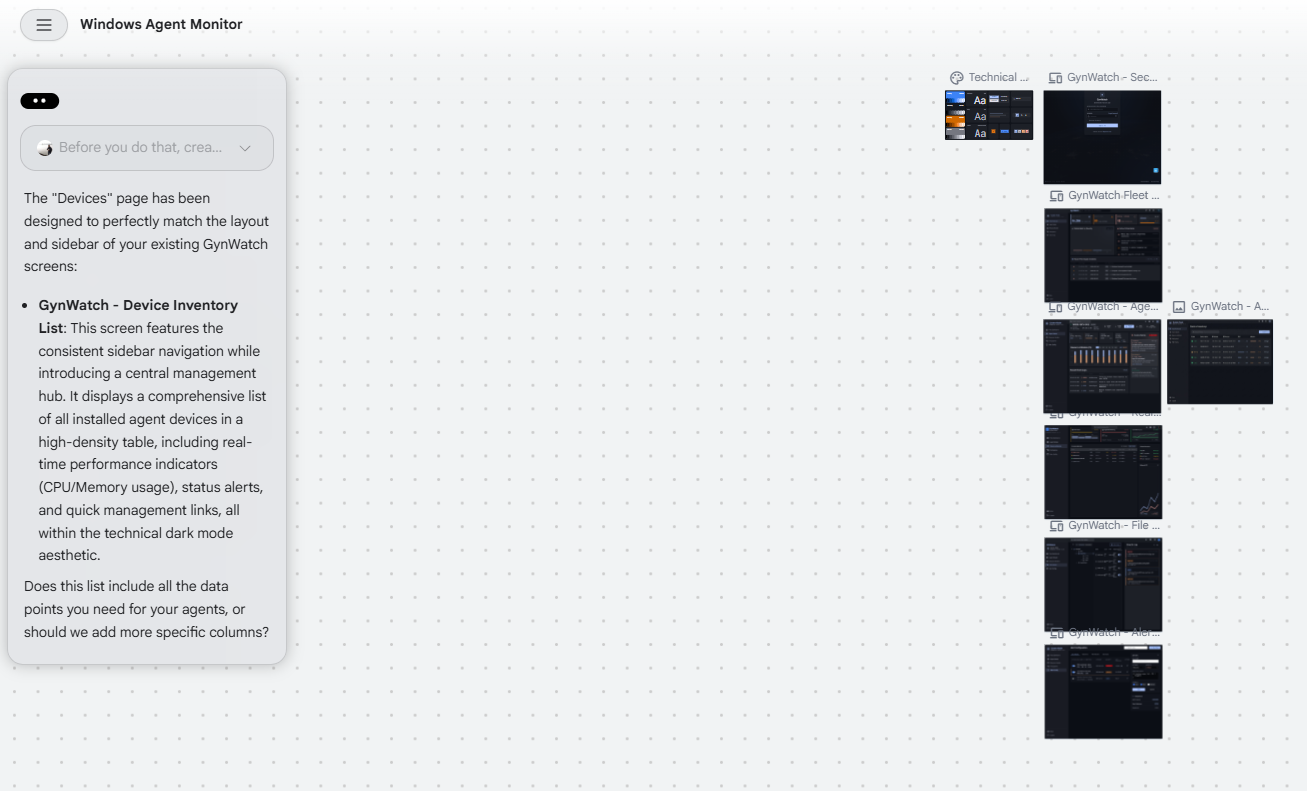
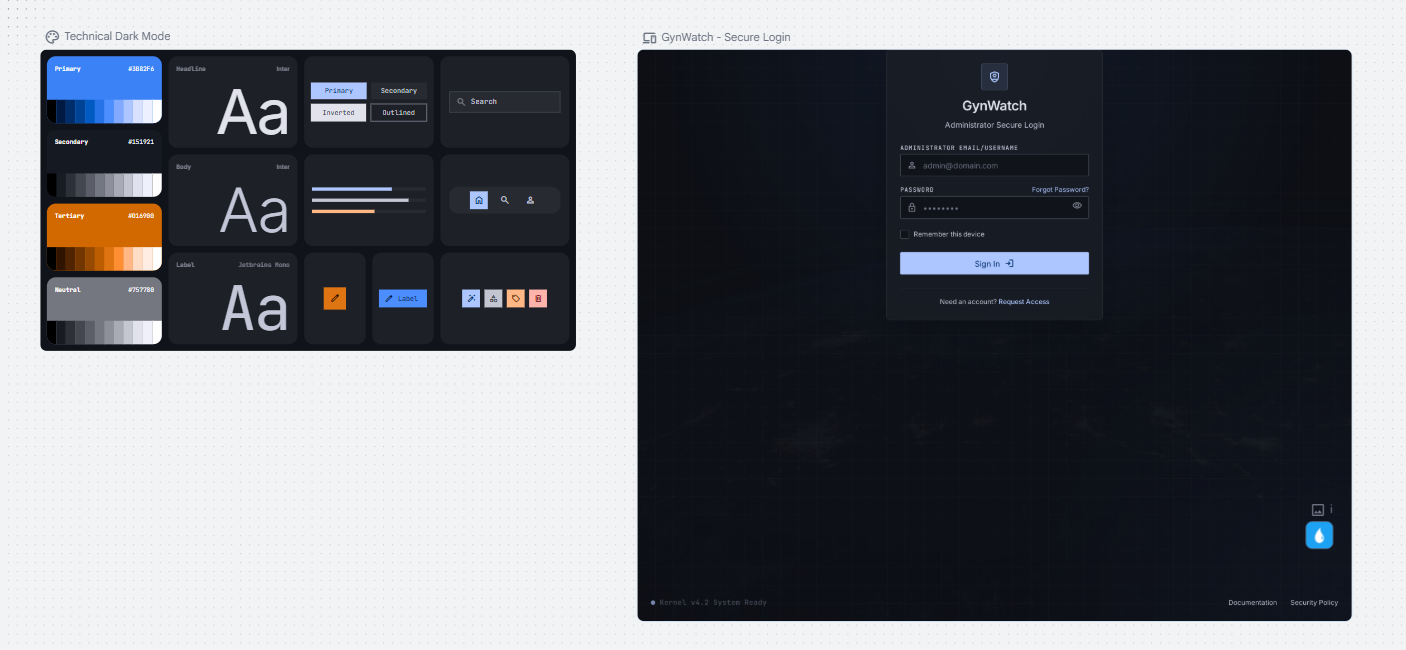
3. Export the HTML Code
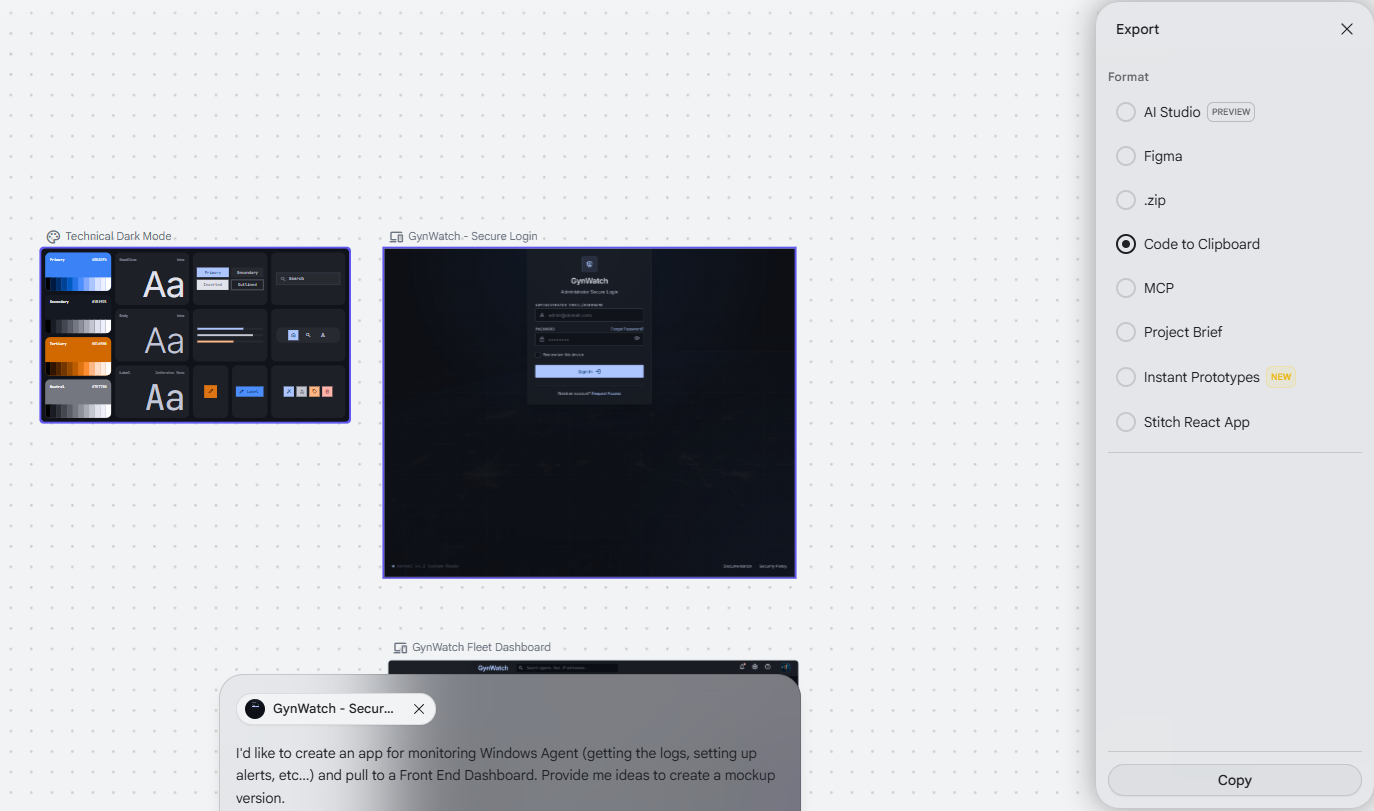
After finalizing your app mockup, Google Stitch supports exporting your design to various third-party services and methods. Your export options include:
- Google AI Studio
- Figma
- Copy HTML code to Clipboard
- MCP (Connect to a CLI agent or IDE using the Stitch MCP)
For this workflow, we will choose to copy the HTML code to the clipboard, and then paste it into Gemini Pro to provision the default design.
4. Provisioning Code with Gemini and Claude
By using a relevant prompt in Gemini, we can review and collaborate on the quick mockup design generated from Google Stitch. After provisioning the HTML code with Gemini, we can export this refined code as a harness for Claude Code. Providing this solid foundation significantly limits the chance of AI hallucinations, as the coding agent does not have to invent ideas or redesign the UI from scratch.
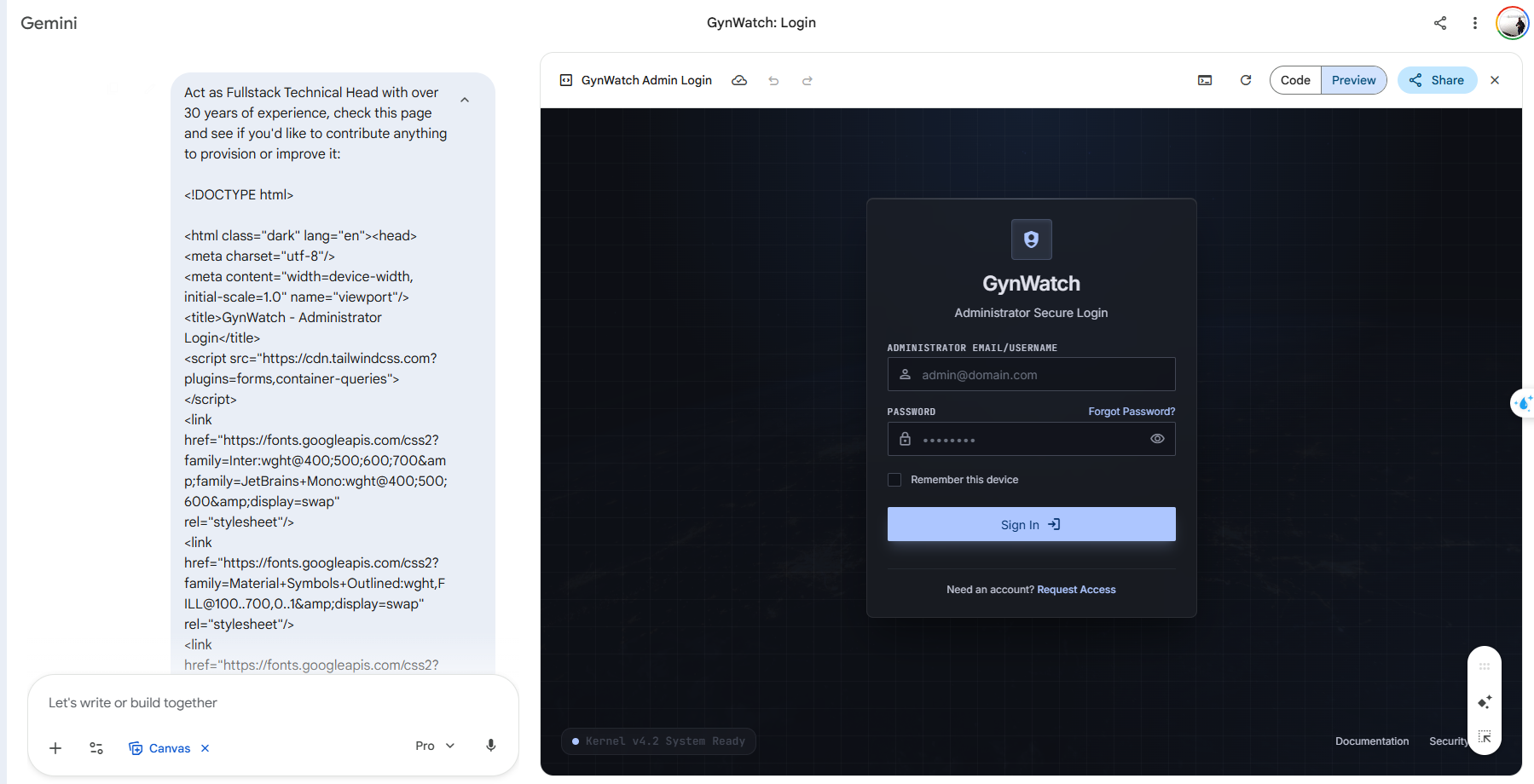
And that is how you can quickly create a high-quality mockup design for your digital product using the powerful combination of Google Stitch and Gemini!
Get In Touch
Complex infrastructure challenges deserve elegant solutions. Let's realize it together.
gynlam328@gmail.com
Phone
+84-83314-1685
Location
Ban Co Ward - Previously known as District 3, HCMC