Vibe Coding 03 —
From Prompt to Skill
One-shot prompts get one-shot results. Packaged Skills plus the CK loop turn Claude into a repeatable craft tool.
Explore the Workflow8 Pillars of the Skill-First Workflow
Click any concept to explore the full insight
Prompts vs Skills
A prompt is a single shot. Every time you ask Claude to do something complex you re-explain the rules, drag in the same context, and pay tokens for repetition. Agent Skills flip the model: a skill is a folder containing metadata, scripts, and examples. Claude lazy-loads only the metadata first — deciding whether to invoke deeper assets later. The result is reusable expertise that survives across sessions, instead of one-shot text that dies the moment the window closes.
Skills load metadata first. Context stays clean until the work actually needs the body of the skill.
ck init — Project Genesis
Every disciplined project starts with structure. ck init scaffolds the
.claude/ directory, drops in agent.md and claude.md, and
seeds a rules/ folder. Those files are not decoration — they are the harness.
Agent.md describes who Claude is on this project, claude.md captures conventions, and rules
become the project-specific guardrails Claude must respect on every call. Treat
ck init as the moment you stop chatting and start engineering.
Rules are project-specific guardrails. They live next to your code so Claude always reads them before acting.
ck init
Skill-Creator: Meta-Tooling
The most powerful skill is the one that builds other skills. skill-creator uses
Claude itself to scaffold a new skill folder — SKILL.md, scripts, references — from
a short description. The pattern is recursive in the best way: when you spot a recurring fix,
promote it into a rule. When the rule grows hands and feet, promote it into a skill.
Meta-tooling collapses the distance between "I keep doing this manually" and
"Claude does it for me reliably."
Recurring fix becomes a rule. A rule with structure becomes a skill. Skills make the harness compound.
claude → /skill-creator
Context Window & /compact
Context is finite. The harness assumes a 40% baseline of always-loaded scaffolding plus a
working window that degrades as it fills. At roughly 70% utilization Claude auto-compacts, but
auto is too late — you have already lost fidelity in the middle. Make compaction
proactive: /compact after every feature, /clear when starting a fresh
thread, and offload long discussions into BD.md so the session can rebuild context on demand
instead of carrying it forever.
BD.md is external memory. The session is workspace, not archive. Compact before the harness forces you to.
Compact after every sprint, every feature — do not wait for auto.
/compact
/clear
Brainstorm → BD.md
ck brainstorm turns a vague idea into a Business Definition file through
interactive Q&A. Claude probes for scope, success criteria, edge cases, and constraints
— and the answers crystallize into BD.md. The danger is reflexively accepting whatever
option Claude marks as "recommended." A click takes a second, but the disaster
trailing behind a wrong default takes weeks to undo. Read every option, push back when something
feels off, and treat the BD as a contract before any code is written.
BD.md is the contract. Every later phase — plan, red-team, cook — reads from it. Get it right before moving on.
A click takes a second; the disaster trailing behind takes weeks to fix.
ck brainstorm <topic>
Plan & Red-Team
ck plan reads BD.md and produces a phased implementation plan with explicit todos.
The plan is structured so a token-exhausted session, or even a fresh Claude tomorrow, can pick
up exactly where it stopped. But never trust the plan blindly. ck red-team spins
adversarial agents at it — hunting for assumption failures, hidden risks, and missing edge
cases. The findings get accepted, rejected, or rewritten back into the plan. By the time you
cook, the plan has already survived its first attack.
Phased plan plus todo list survives token exhaustion. Red-team finds the holes before code does.
Never trust the plan blindly — always red-team it.
ck plan BD.md
ck red-team plan.md
Force, Don't Auto-Pick
Reality is multi-IDE. Claude Code, OpenCode, and Antigravity all ship their own built-in skills,
and when you let the agent auto-pick from a crowded room you get reward-randomness —
whichever skill happened to score highest, not the one you actually want. The fix is mechanical:
invoke skills explicitly with /<skill-name>. Force the choice. Auto-pick
optimizes for the agent's confidence, while explicit invocation optimizes for your intent.
Disciplined engineers always force.
Auto-pick optimizes for the agent. Explicit invocation optimizes for you. Always force.
Best practice — force the skill, do not let it auto-pick.
claude → /<skill-name>
Rules System
The .claude/rules/ folder is where corrections become permanent. The first time
Claude breaks a convention you write a rule. The second time, the rule fires before the mistake.
Rules are short, declarative markdown files — one concern per file, kebab-case names, easy
to grep. When a rule starts feeling like a procedure, promote it into a skill. Rules are the
cheapest, most underrated layer of the harness; they catch the boring failures that would
otherwise eat your week.
Rules turn one-off corrections into permanent guardrails. Cheap to write, expensive to live without.
.claude/rules/*.md
Case Study: My First Vibe-Coded App
6 steps from /ck:brainstorm — working Snake game.
Wondering how to vibe
code your first application? Below is a step-by-step breakdown of the vibe coding process I
used to create a basic Snake game. Pro tip: After every step, I made sure to use the
/clear command. This clears the context window, effectively preventing the AI coding
assistant from developing bias based on previous prompts.
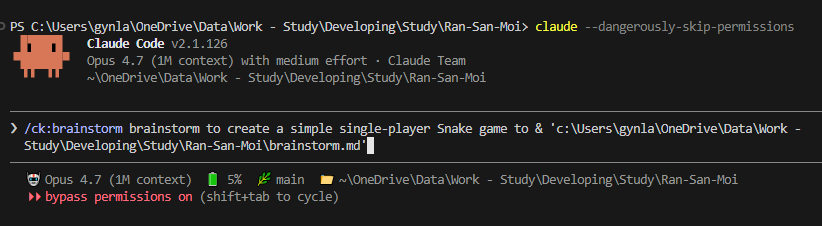
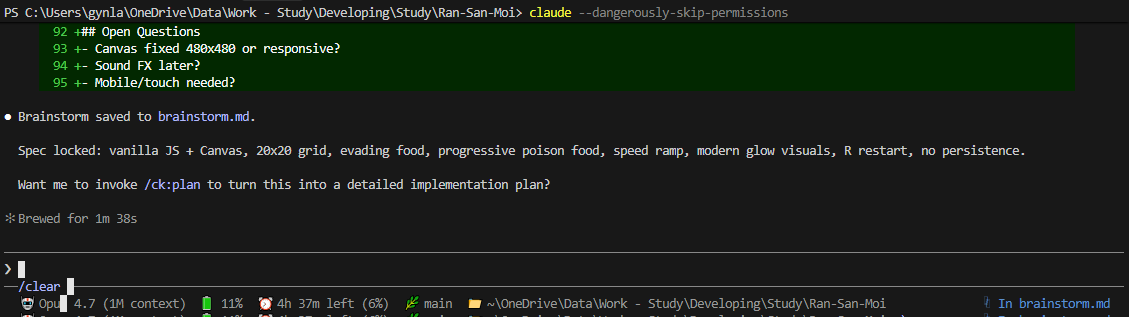
Brainstorming App Ideas
Initiated the project by brainstorming
ideas using the /ck:brainstorm command.
Creating the Implementation Plan
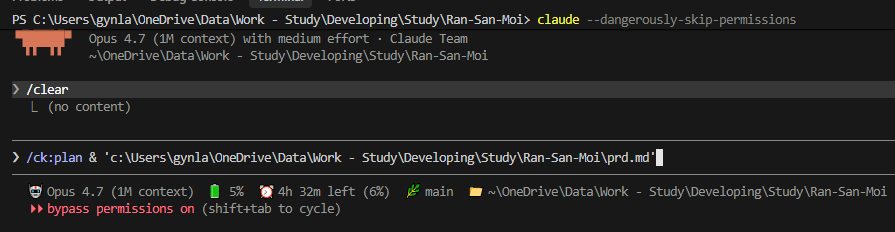
Renamed brainstorm.md to
prd.md to align with standard project guidelines. Then generated a solid
development plan using the /ck:plan command on the prd.md file.
Red-Teaming the Plan
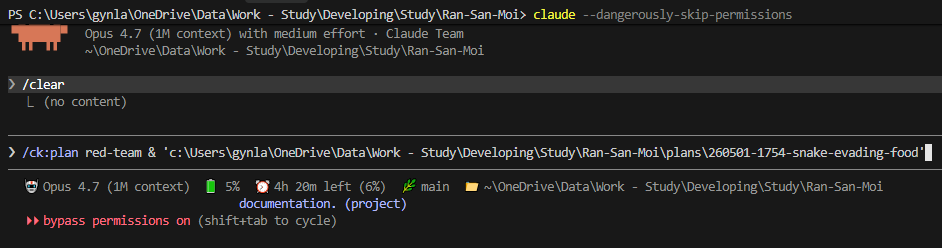
Ran /ck:plan red-team to
counter-argue the newly created plan. The AI coding tool rigorously tested the strategy for
potential flaws and edge cases.
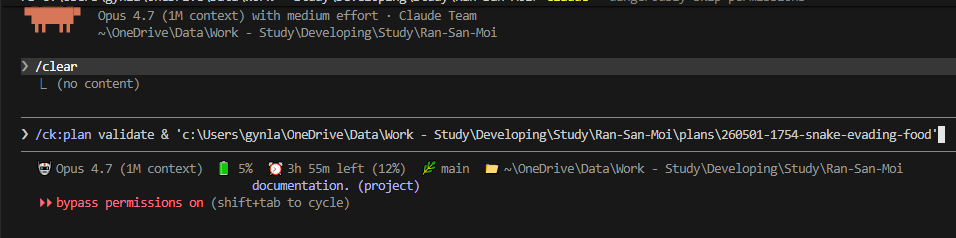
Validating the Strategy
Used /ck:plan validate on
the plan folder to lock in the final application architecture.
AI Code Generation
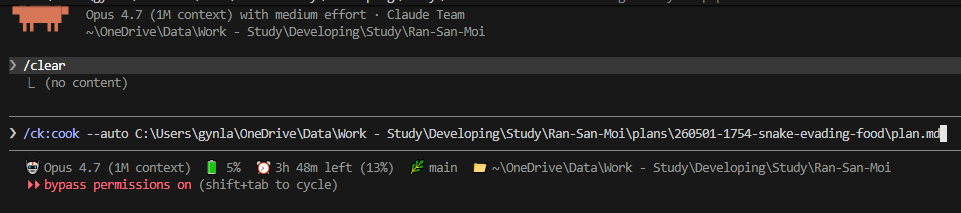
With a validated plan in place, the
actual coding began! Instructed the AI to implement the plan automatically using the
/ck:cook --auto plan.md file command.
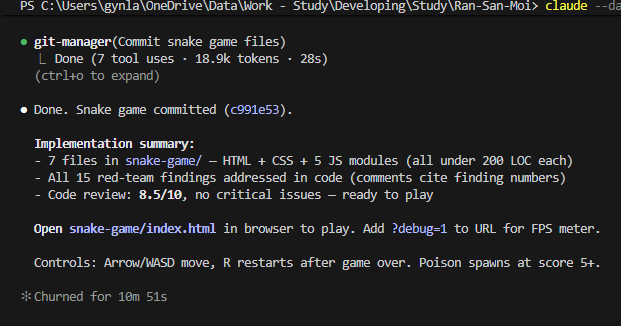
Final Results & Documentation
The result after vibe coding was a fully functional Snake game!
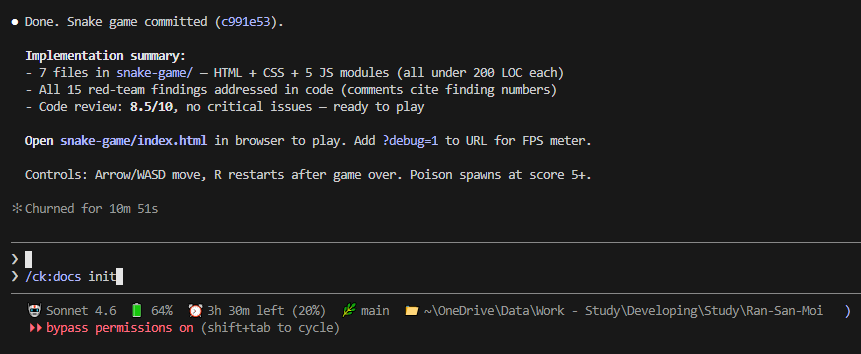
Finally, to wrap up the project
professionally, I generated the necessary implementation docs using /ck:docs init.
Do you find this vibe coding approach interesting?
The easiest way to kill a passion is to dangle rewards in front of it.
— Anh Tài, Vibe Coding 03 · Force the craft, do not chase the reward
Get In Touch
Complex infrastructure challenges deserve elegant solutions. Let's realize it together.
gynlam328@gmail.com
Phone
+84-83314-1685
Location
Ban Co Ward - Previously known as District 3, HCMC